

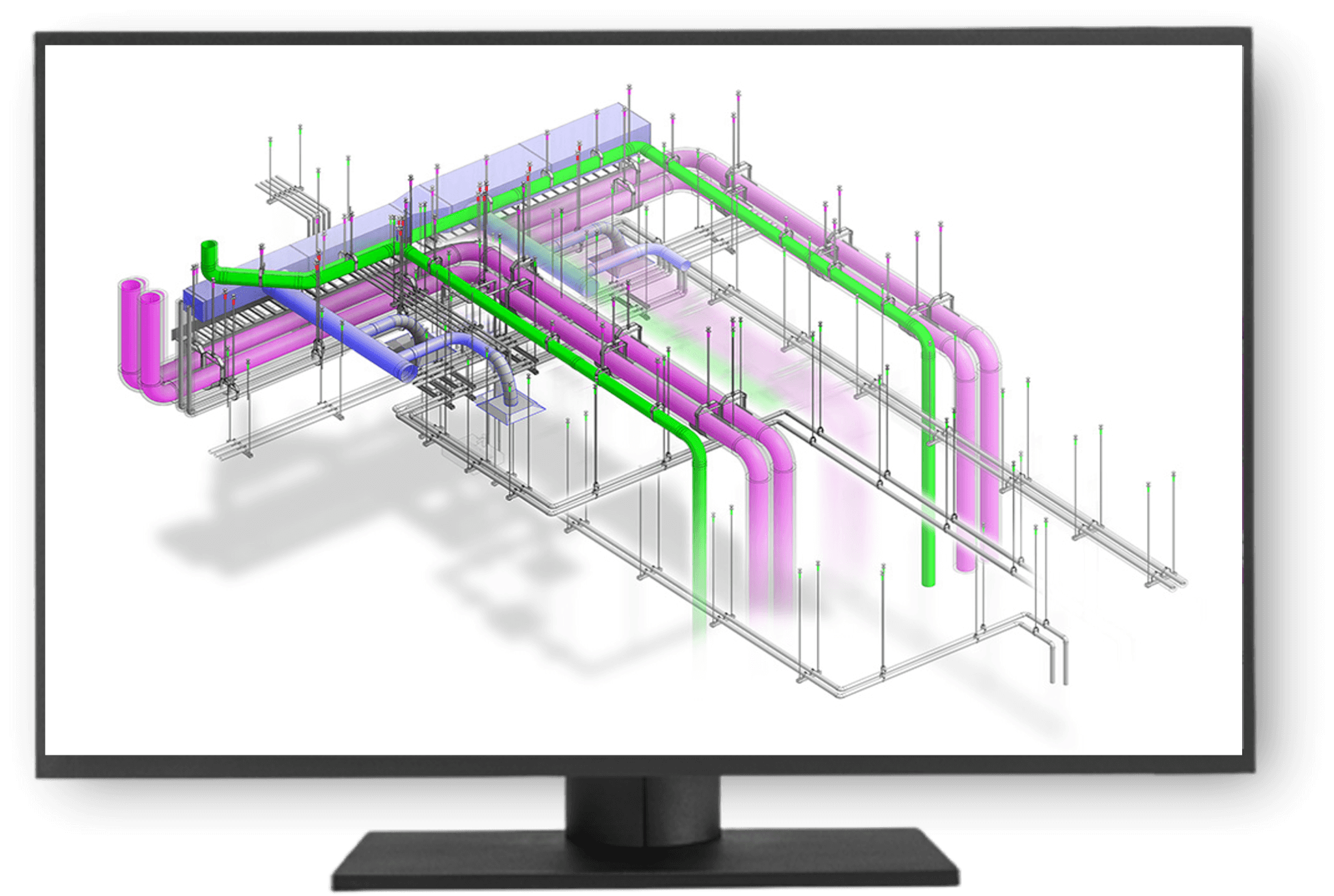
Speed and accuracy are critical in the design phase of construction, and building information modeling (BIM) has improved teamwork and visibility throughout projects. However, support system layout remains a challenge. Despite significant advances in BIM workflows, contractors lose time and productivity because of inefficient manual processes in placing and coordinating hangers and supports. Software solutions like MSUITE Hangers can accelerate BIM modeling efficiency and transform MEP coordination through automation.
Persistent Problems
Support systems—including pipe hangers, conduit supports, cable trays, and multi-tier trapeze racks— are important for every MEP installation. However, laying them out in the BIM model often becomes a bottleneck. Why?
- The work is repetitive and time-consuming.
- Manual placements are prone to errors.
- Every model update forces rework.
- Coordination between trades becomes fragmented.
These issues disrupt project flow, increase the likelihood of rework, and reduce overall construction productivity. While these supports may be a small visual element in the model, they disproportionately impact the time and labor involved in modeling and installation.
BIM Automation as the Solution
BIM automation software allows you to manage predictable tasks, so your team can focus on what matters most: creating a high-performing model that can be smoothly installed in the field. Automating processes removes the manual labor from support system layout, dramatically improving efficiency and accuracy. MSUITE Hangers, for example, embodies this principle by bringing automation directly into the support layout workflow, enabling users to:
- automatically place supports based on system type, pipe size, and material;
- adjust placements when the model changes;
- generate accurate field layout points for installation; and
- share placement rules across project teams for consistency.
With BIM automation software, teams can model faster while reducing the chance of errors that cause delays in the field. Users can apply rules instead of manually choosing hanger types, spacing, and drawing connections. The software will then generate the placement automatically, even for complex configurations like multi-tier trapeze supports. Simplifying the workflow helps teams design hangers while placing pipe or duct. It saves time when working under tight deadlines.
Improving Productivity Across the Lifecycle
Automating hanger placement has a significant impact. Contractors who use this method see better results in field work, fabrication, and project coordination. When the team’s model is supported correctly, the team can work faster during installation. When the model is linked to digital layout tools, fewer mistakes occur. Fabrication shops benefit from clearer output and faster spool creation. Project managers also gain more predictable schedules and cleaner installations.
A 2024 Dodge Construction Network study revealed that 66 percent of those who used digital workflows reported that it improved their decision-making. Meanwhile, 60 percent have implemented digital data exchanges across half or more of their internal project processes.
Read more about the study, which looked at digital transformation in construction: https://www.construction.com/reports/new-study-from-dodge-construction-network-reveals-digital-transformation-led-by-construction-owners/
These findings show that digitizing construction workflows helps teams work better. BIM coordination and layout leads to more informed teams and better project results.
A New Era of MEP Coordination
MEP coordination is all about trade alignment. In dense mechanical spaces, hanger layout decisions affect clearances, access, and code compliance, so it is essential to standardize and automate support system layout across disciplines. Software like MSUITE Hangers promotes better MEP coordination by letting all trades operate from a shared rulebook. Instead of each team working on their supports alone or repeating tasks later, the software uses consistent logic and updates automatically as systems change. This method reduces clashes, streamlines coordination meetings, and keeps the model installation-ready from day one.
One standout feature in MSUITE Hangers is its Placement Rules Engine, which lets virtual design and construction (VDC) managers set rules for specific systems. Managers can define minimum distances between hangers, for example, or set support spacing based on pipe diameter. Additionally, they can choose attachment methods for structural steel, slabs, or struts. You can save, reuse, and share rules across projects and teams, so you can include your best practices in every model. Using rules can be a significant breakthrough for companies scaling across multiple jobsites. It also simplifies training of new detailers, standardizes outputs, and reduces dependency on the knowledge of one person or group.
BIM automation software directly connects to the field by automatically generating layout points tied to hanger locations. You can export these points directly to robotic total stations, saving layout crews time and improving accuracy. When design and field teams work together better, installation delays decrease. Teams spend less time looking for answers or fixing mistakes.
Contractors have already made the shift to BIM automation. For instance, one leading contractor reported that their VDC team cut layout time in half and virtually eliminated field layout errors after deploying MSUITE Hangers. “What used to take 10 steps now takes one,” said the contractor. “It’s like night and day.”
A Smarter Way to Build
In the drive for construction productivity, every gain matters. Automating a slow and error-prone process like hanger placement saves time and improves teamwork. It also reduces mistakes, allowing your team to focus on more important tasks. If you want to make your BIM modeling faster, improve MEP coordination, and simplify your support system layout from the model to installation, it is time to look closely at automating your workflows.
For more information, visit www.msuite.com.